Top 5 AI Apps For Android & IOS Free Tools
Most phones now have a folder full of apps with AI written on the icon, and most of them are wrappers around the same handful of models. The five below are worth your storage because each one does a single specific job that used to need a laptop, and each has a free tier you can judge before spending anything.
They run on Android and iOS. None of them is a general chatbot, which is deliberate: you already have one of those. What you get instead is a tool that answers questions about a photo, another that cleans up video of a person, a keyboard that drafts sentences, an eraser for unwanted objects, and a generator that makes wallpapers nobody else has.
The One Thing All Five Have In Common
Every app here sends your input to a server. That is the trade. Models capable of understanding an image or repainting a background do not fit on a phone, so the photo, the clip or the sentence travels to a data centre, gets processed and comes back. Nothing in this category runs entirely offline, whatever the marketing implies.
Two practical consequences follow. Without a connection, most features simply stop. And anything you upload has, at minimum, passed through somebody else's infrastructure. That is fine for a photo of a broken tap and a poor idea for a photo of your Aadhaar card. Keep that distinction in mind through the whole list.
ImageChat: Point The Camera At A Problem
The name misleads people into expecting an image generator. It is the opposite. You feed it a picture and ask questions about what is in the frame, and it answers in plain text.
That sounds like a party trick until you use it for something real. Photograph an error label on a washing machine and ask what the code means. Photograph a circuit board and ask which component is scorched. Photograph a page of handwritten notes and ask for a clean transcription. Photograph an unfamiliar plant in the garden and ask whether it is safe around a dog.
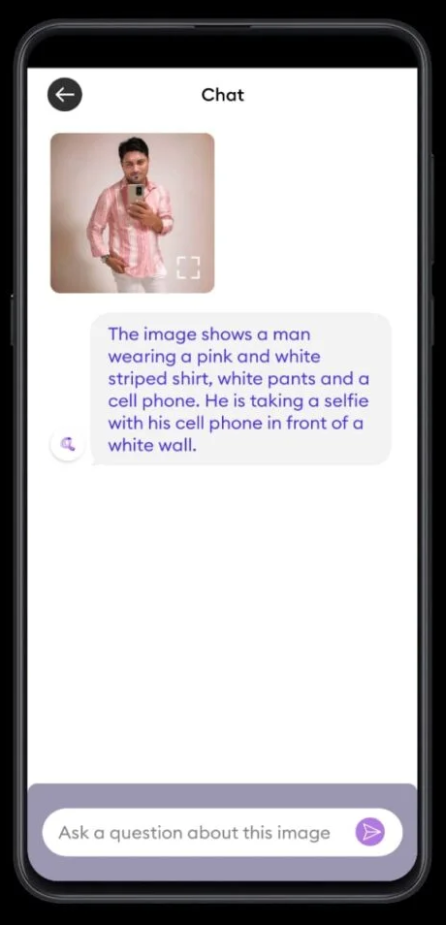
Accuracy varies with how clear the photograph is. Sharp, well-lit, close, filling the frame — those answers hold up. Blurry, dim or wide shots produce confident nonsense, which is the failure mode you have to watch for. It states everything with the same certainty whether it knows or not, so treat the reply as a strong hint rather than a verdict, especially on anything medical or electrical.
PrettyUp: Retouching That Survives Movement
Retouching a still photo is old news. Retouching video is genuinely harder, because a correction applied to one frame has to track a moving body across hundreds of frames without wobbling at the edges.
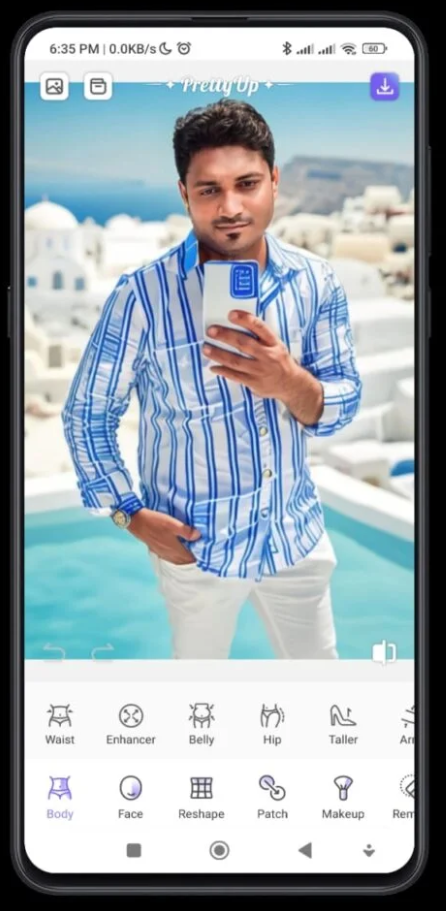
PrettyUp is built for exactly that. Body and face reshaping, skin smoothing, teeth and eye adjustments, all applied to a clip rather than a single image. If you have used a still-photo retoucher before, the controls will feel familiar; the difference is that the app has to solve the tracking problem underneath.
Also try: Focus & DSLR – ReLens Camera App
It handles moderate edits cleanly. Push the sliders hard and the background starts warping around the subject, which is instantly visible against a doorframe or a tiled wall. Export takes noticeably longer than photo editing, and on an older handset a long clip will heat the phone. Use it for a small correction, not a reconstruction.
CleverType: A Keyboard That Drafts For You
Your keyboard sees everything you type, which makes replacing it the most consequential decision on this list. It is also the app you will use the most, so the payoff is proportional.
CleverType adds a language model to the keyboard row. Highlight what you have written and it rewrites it, fixes grammar, adjusts the tone from casual to formal, or produces several phrasings to pick between. For anyone writing work messages in English as a second or third language, that is a daily saving rather than a novelty.
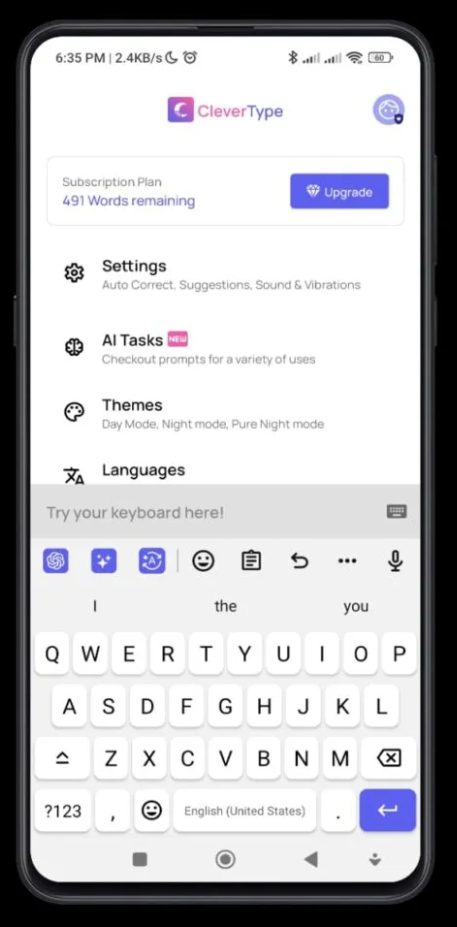
Before you install any AI keyboard, open its permissions and read what it declares about text handling. A keyboard sitting on top of your banking app and your private chats is exactly where you want to be fussy. If the rewrite runs on a server, your sentence is leaving the device, so do not use the rewrite feature on passwords, OTPs or account numbers. Ordinary typing stays local; it is the AI button that ships text out.
There are alternatives worth comparing, including keyboards bundled with major search apps that offer similar rewriting. Try more than one before committing, because switching keyboards mid-habit is annoying.
ClipDrop: Erasing Things That Should Not Be There
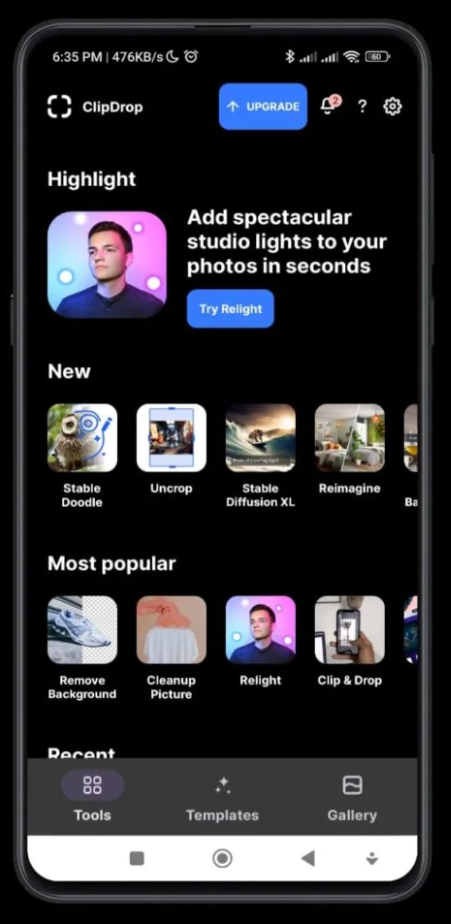
This is the one most people will open weekly. You paint roughly over an unwanted object — a bin, a stranger, a wire crossing the sky — and the app fills the gap with what it estimates should have been behind it.
The same toolkit handles background removal, background replacement and relighting, which is the feature that surprises people most. Relighting adds directional studio light to a flat photo after the fact, and on a portrait shot under bad tube lighting the improvement is substantial.
- Small objects against simple backgrounds vanish almost perfectly
- Removing something in front of a repeating pattern usually breaks the pattern visibly
- Hair and fur edges remain the hardest cutout problem and still need manual cleanup
- Reflections and shadows of a removed object stay behind unless you erase those too
- Every operation costs time and a round trip to the server, so batch work is slow on mobile data
That fourth point is the one that gives edits away. Delete a person from a poolside photo and their reflection remains in the water. Nobody notices the missing person; everybody eventually notices the floating reflection.
One4Wall: Wallpapers Nobody Else Has
The lightest app in the group and the least essential, which is not a criticism. It generates high-resolution wallpapers from prompts and keeps a browsable gallery of what other people have made.
The appeal is simply that the result is yours. Every wallpaper pack in circulation has been on ten million phones. Describing a colour scheme that matches your icon layout and getting something unique back takes a minute. Generated images also tend to be busy, so if you keep a screen full of widgets, ask for something dark and low-contrast rather than the vivid abstract the app defaults to.
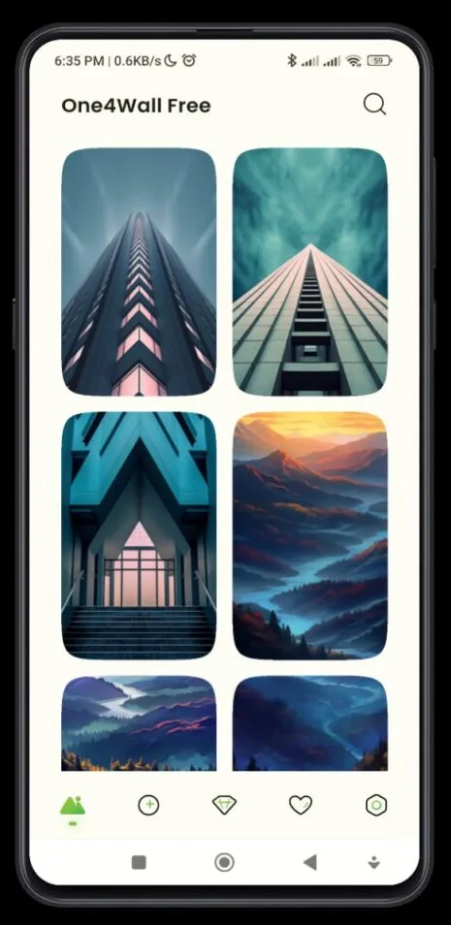
One warning that applies to wallpapers specifically: a genuinely high-resolution image redrawn behind an animated launcher costs battery. If your phone is already struggling, a static compressed wallpaper is the kinder choice.
How The Free Tiers Actually Work
Almost all of these run on a credit model rather than a straight free-versus-paid split. Each generation, erase or rewrite consumes a unit, the free allowance refills on a schedule, and heavy use pushes you toward a subscription. Because server compute genuinely costs the developer money, an unlimited free tier is not something to expect.
- Test the feature you actually care about first, before the free credits are gone
- Check whether exports are watermarked on the free tier, since some are and some are not
- Look for whether output resolution is reduced without a subscription
- Read the renewal terms if you start a trial, and set a reminder before it converts
- Uninstalling does not cancel a subscription; that has to be done in your store account
Five AI Apps — How They Rate
- ClipDrop — the most useful of the group and the one you will reopen
- CleverType — a real daily saving, with the largest privacy footprint
- ImageChat — excellent on clear photos, confidently wrong on poor ones
- PrettyUp — capable at subtle edits, obvious when pushed too far
Summary
Five narrow tools that each earn their place, provided you accept that your input is being processed on somebody else's hardware.
If You Only Install One
Install ClipDrop. Object removal is the single edit people want most often and the one that is hardest to do by hand on a phone screen. It works well enough often enough to be worth the storage.
If you write a lot of English at work, the keyboard is the better pick, but only after you have satisfied yourself about how it treats your text. If you are chasing a look for social clips, PrettyUp. Skip the wallpaper app unless customising your home screen is something you genuinely enjoy.
Questions We Get About These Tools
Do any of them work without internet? Not for the AI features. Basic editing and typing continue offline, but anything that needs the model will queue or fail until you reconnect.
Are the iOS versions the same? Close, but not identical. Feature rollouts tend to reach Android slightly earlier, while iOS builds are often more stable at launch because there are fewer device configurations to support.
Will these drain my battery? Not while idle, since the heavy computation happens on a server. What they do consume is data and time. Video export in PrettyUp is the one genuine battery cost in the group.
Is my photo deleted after processing? Retention policies differ per app and change over time. The safe rule is to assume anything you upload might be stored, and to never upload identity documents, financial paperwork or photographs of other people's children.
Can I use the output commercially? Check the terms of the specific app. Rules around generated images vary between services and between countries, and a wallpaper for your own screen is a very different question from artwork on a product you intend to sell.
Pick one, use it for a fortnight, and delete it if you have not opened it in the second week. That test kills more AI apps than any review will. The two most likely to survive it are the eraser and the keyboard, because they solve problems you already run into every day rather than problems the app itself invented.