RailOne App Download || New Indian Railway App
For years, booking a train in India meant juggling apps. One for reserved tickets, another for unreserved journeys, a third to check whether the train had left the previous station, and a browser tab for PNR status. RailOne is the Indian Railways attempt to collapse all of that behind one login.
That is a big promise, and it deserves an honest look. This walkthrough covers what the app handles, how registration works if you have never touched IRCTC, what guest mode can and cannot do, and the practical problems you are likely to hit on an older phone.
Why Indian Railways Built Another App
The obvious question is why a new app was needed when IRCTC Rail Connect and UTS already existed. The answer is fragmentation. Each of those solved one slice of the journey and none of them talked to each other, so a passenger travelling unreserved and then booking a return ticket had to sign in twice with two different accounts.
RailOne is positioned as the front door rather than a replacement. It reuses credentials you already hold and puts the separate services behind one interface. If you have ever stood on a platform switching between apps to find out which one shows live running status, you already understand the problem being solved.
There is a second motive that matters more to your wallet. A large share of passengers book through third-party agents who add a convenience fee on top of the fare. Booking directly removes that margin. Across a few journeys a year, the saving is not trivial.
What You Can Actually Do In The App
The feature list is broad, which is both the appeal and the risk. These are the services brought together under one roof:
- Reserved ticket booking, including Tatkal and Premium Tatkal windows
- Unreserved and platform tickets, the job UTS used to handle alone
- Live running status and expected arrival at your boarding station
- PNR status and waitlist position without opening a browser
- Train and fare enquiry before you commit to a date
- Onboard meal ordering tied to your PNR
- Parcel and freight enquiry
- Complaint and grievance filing against a specific journey
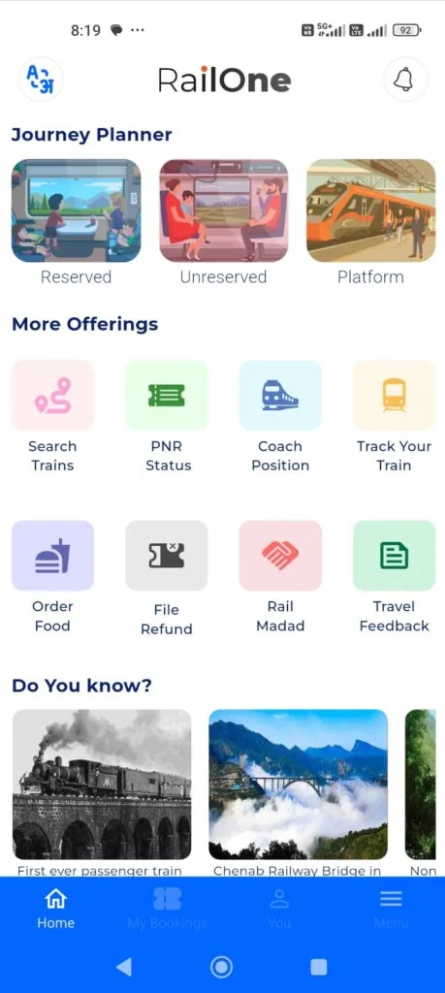
The home screen is built around icons rather than text menus. That is a deliberate choice for a service used across many languages and literacy levels, and it works: most functions are two taps away. The trade-off is that a handful of icons stay ambiguous until you have tapped them once.
Setting Up Your Account
Registration is the step where most people give up, so it is worth being precise about the three routes in.
Existing IRCTC user: Sign in with the Rail Connect username and password you already use. Booking history and saved passengers carry across, so there is nothing to re-enter.
Existing UTS user: Unreserved ticketing credentials work the same way. If you hold both accounts, sign in with IRCTC, since that is the one tied to reserved bookings.
Completely new user: Register with your mobile number, verify the OTP, then complete the profile with name, date of birth and email. Keep that number reachable, because confirmations and cancellation refunds are tied to it.
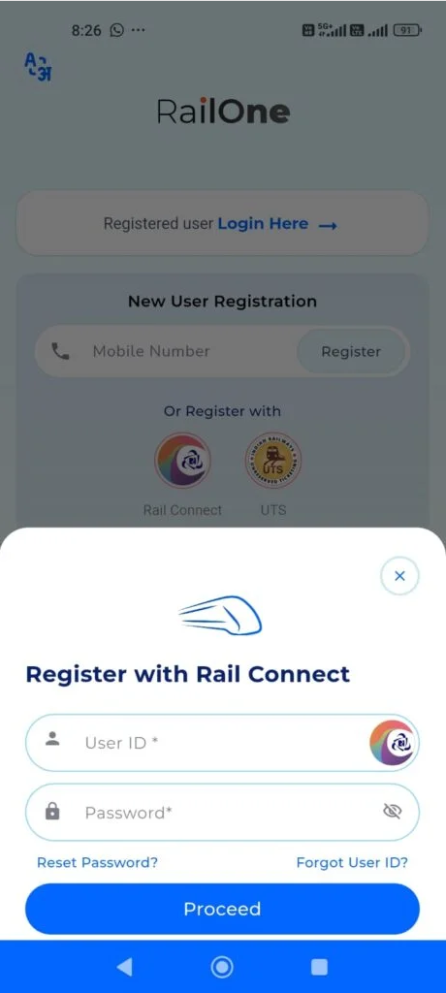
A fourth option trips people up. Guest mode skips registration entirely by taking only a mobile number, and it is genuinely handy for checking a train or a PNR. But it is read-only. You cannot buy a ticket in guest mode, and nothing warns you about that until the payment step. If you are setting the app up for an older relative, register them properly the first time rather than leaving them on guest access.
Searching Trains And Booking A Seat
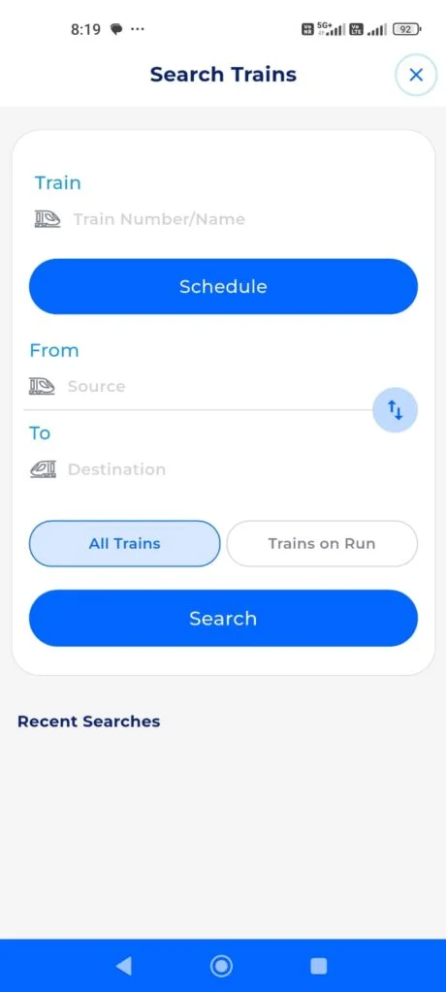
Search behaves the way you would expect: origin, destination, date, class filter. What is more useful is that results show reserved and unreserved options side by side, so you can see the express is waitlisted at forty before deciding to travel unreserved instead.
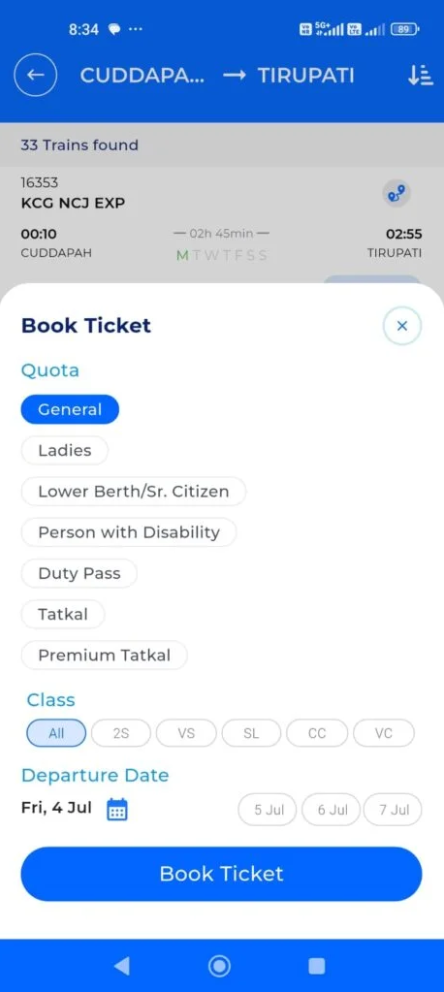
Quota selection is where the money sits. General, Tatkal, Premium Tatkal, ladies and senior citizen quotas each carry different availability and different pricing, and the app surfaces them on one screen rather than burying them in a dropdown. Premium Tatkal in particular uses dynamic pricing, so the fare shown at ten in the morning is not the fare five minutes later on a busy route.
Payment supports UPI, cards and net banking. UPI is the one to reach for during Tatkal, because card verification adds a redirect step, and in a window where berths vanish in ninety seconds that redirect is often the difference between a confirmed seat and a waitlist number.
Tatkal Booking Without Losing The Seat
Tatkal opens at ten for AC classes and eleven for sleeper, one day ahead of departure. Seats disappear in under two minutes on popular routes. A few habits make a measurable difference:
- Add passengers to your saved master list days in advance, not on the morning itself
- Open the app and sign in five minutes early so the session is already authenticated
- Keep a UPI app in the background with the PIN ready
- Pick your quota before the clock turns, then change only the date
- Never refresh mid-transaction, because a resubmitted payment usually fails and locks the berth
Compatibility, Storage And Permissions
The app runs on Android and iOS, and the official stores are the only places worth getting it from. Anything calling itself a RailOne package on a random mirror is a risk you do not need to take, because a ticketing app holds your identity documents and your payment methods.
On permissions, location powers nearby station detection and the camera scans tickets. Neither is mandatory for booking. Decline location and you simply type the station name instead. Notifications are the one worth granting, since platform changes and delay alerts arrive through that channel.
On budget phones with limited memory, redrawing the seat map is slow and the live tracking map is the heaviest screen in the app. If it stutters, close the map and use the text running status instead, which pulls the same data at a fraction of the load.
Where The App Falls Short
It is not flawless, and pretending otherwise would be useless to you. Server load during Tatkal is the recurring complaint and a fair one: the booking window is the exact moment the backend is under most pressure, so timeouts happen. That is an infrastructure limit, not something better app design fixes.
The second issue is consolidation itself. Folding nine services into one package means a single crash takes all of them down together. If the app refuses to load, you have lost your platform ticket, your PNR check and your booking route simultaneously. Keeping the older single-purpose apps installed as a fallback is sensible for frequent travellers.
Finally, the interface is functional rather than polished. Text density runs high, and some screens still read as though they were translated from a paper form rather than designed for a phone. It works, but it will win no awards.
RailOne — Verdict
- Service coverage — nearly everything a passenger needs in one place
- Account setup — reuses IRCTC and UTS logins, no fresh registration
- Booking speed — fine off-peak, strained during Tatkal
- Interface polish — icon-led and usable, visually dated
Summary
A genuinely useful consolidation that saves you agent fees, held back by server strain in the windows that matter most.
Fixing The Problems People Hit Most
Three failures account for most of the frustration. If the OTP never arrives, check that your number is not on a DND list blocking transactional SMS, and wait the full sixty seconds before requesting a resend, because stacked requests often cancel one another out.
If money leaves your account but no ticket appears, do not rebook immediately. Failed rail transactions reverse automatically, usually within three to five working days, and a second attempt risks paying twice for the same journey. Check booking history first, since the ticket is frequently there even when the confirmation screen failed to render.
If the app refuses to open after an update, clearing the cache resolves it more often than reinstalling does, and clearing cache leaves you signed in. Reinstalling does not, which means hunting for your IRCTC password at the worst possible moment.
Is RailOne Worth Installing?
If you take more than a couple of rail journeys a year, yes. The saving on agent convenience fees alone justifies the install, and having PNR status and live running behind the same login as your booking is real convenience rather than a marketing line.
If you travel by train once or twice a year, the maths shifts. Registration friction is front-loaded and a browser PNR check costs nothing. In that case install it the week before you travel rather than keeping it resident on your phone all year.
Questions Passengers Keep Asking
Can I book in guest mode? No. Guest access is limited to enquiry, meaning train search, PNR status and running status. Buying a ticket requires a registered account with a verified mobile number.
Do I need a separate IRCTC account? No, and that is rather the point. If you hold Rail Connect or UTS credentials, sign in with those. Creating a second account only splits your booking history across two profiles.
Does it replace UTS for unreserved tickets? It covers the same ground, platform tickets included. Whether you uninstall UTS is a judgement call, since some frequent travellers keep it precisely for the crash scenario described earlier.
Is there an iPhone version? Yes, both platforms are supported through their official stores. Feature parity is close, though Android tends to receive changes marginally earlier.
Why is my Tatkal fare higher than the listed price? Premium Tatkal runs on dynamic pricing that climbs as berths fill. The fare quoted at the moment you confirm is the fare you pay, which is why hesitating in that window costs money as well as seats.
Grab it from the official store below and register before your next journey rather than on the platform itself. The OTP step is far less stressful when you are not watching a departure board count down.
Tap the button below to download the file directly to your device.
Download RailOne APK