
Most Powerful Updated Game Launcher For Mobile || Nubia Redmagic Launcher
A gaming launcher has one narrow job. It sits between your home screen and your heavy titles, keeps the tools you reach for mid-match within a swipe, and stops the rest of the phone from interrupting a session that took twenty minutes to get into. Nubia ships one alongside its RedMagic handsets, and interest in it now stretches far beyond people who own that hardware.
What follows is a practical read on the software rather than a spec sheet. You will find out how the lobby is organised, which capture tools survive daily use, what the tuning switches genuinely change, and why the common claim that this package turns a budget phone into a gaming machine deserves a firm push back.
What A Gaming Shell Adds That Your Home Screen Cannot
Android was designed around notifications arriving whenever they like. That is fine for a messaging app and terrible during a ranked match. A gaming shell handles this by taking over while a title is in the foreground: alerts are held back, accidental gestures near the screen edges are ignored, and background sync is trimmed so the processor is not juggling a photo upload and a firefight at the same time.
The second contribution is grouping. Instead of hunting for a shooter buried on your third home page, every installed game sits in one grid with its own artwork, playtime record and quick launch. Small convenience, but it compounds. Most players who move to a launcher like this one say the interruption blocking is what keeps them there, not the visual theme.
How The Game Lobby Is Laid Out
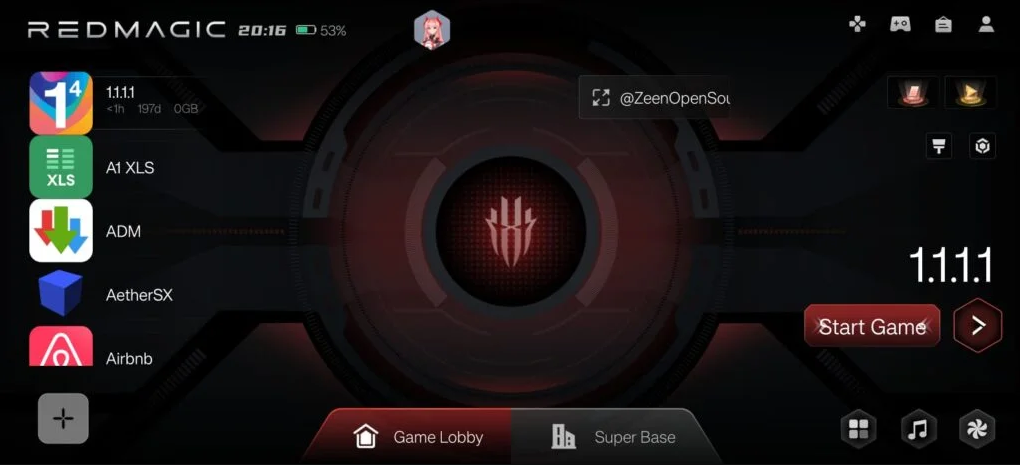
The lobby is a full screen surface rather than a folder. One title occupies the centre with large cover art, the rest scroll past it, and a single control starts the session with whatever tuning profile you attached to that game. Around the edges sit the toggles worth knowing about:
- A profile switch that pairs a performance level with each individual game
- Playtime tracking per title, useful if you are trying to cut back rather than show off
- Quick access to the recording and screenshot tools without leaving the game
- A do-not-disturb layer that silences calls and banners for the length of the session
- Touch rejection zones so a palm resting on the frame does not register as an input
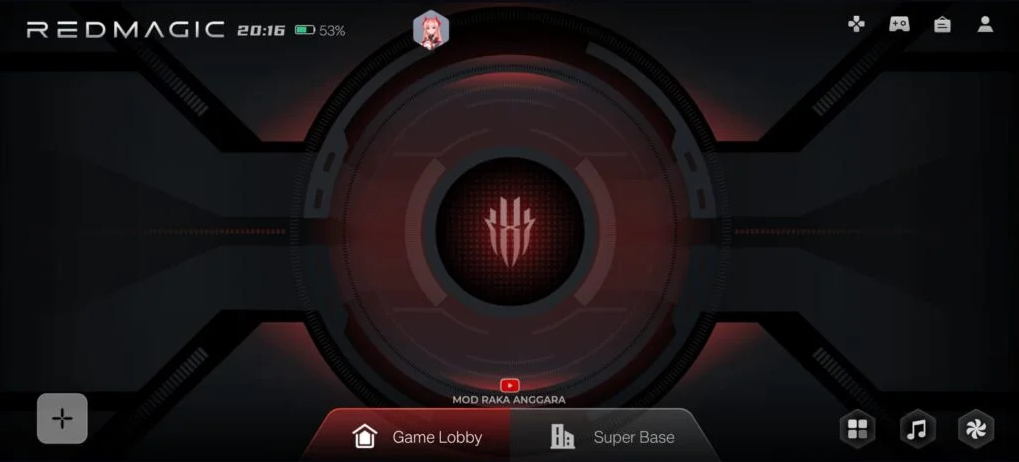
The aggressive profile, badged as a boss level mode in the interface, is the one people try first. It pushes the chip to hold its highest sustained state, keeps memory reserved for the game, and shuts down almost everything else. On a phone with active cooling that is a reasonable bargain. On a phone without it, the gain shows up for a few minutes and then the thermal controller quietly takes it back.
Recording, Screenshots And Clip Sharing
Capture is where this launcher earns its keep for anyone who posts clips. The side panel opens over the running game rather than dropping you back to Android, which means you do not lose a second of play to a menu trip.
- Screen recording that keeps the game audio, with the option to layer in your microphone
- Instant screenshots bound to a gesture instead of a two button squeeze
- Short looping clips exported in a format ready for chat apps
- A floating panel for brightness, sensitivity and notification control mid-match
- Fast switching to a messaging app in a window, so a reply does not close the game
Two honest caveats. Recording at high frame rates costs performance, and on a mid-range chip you can watch the game itself stutter while the encoder works. Long captures also fill storage fast, so check your free space before a tournament rather than after.
The Statistics Screen And Whether It Matters
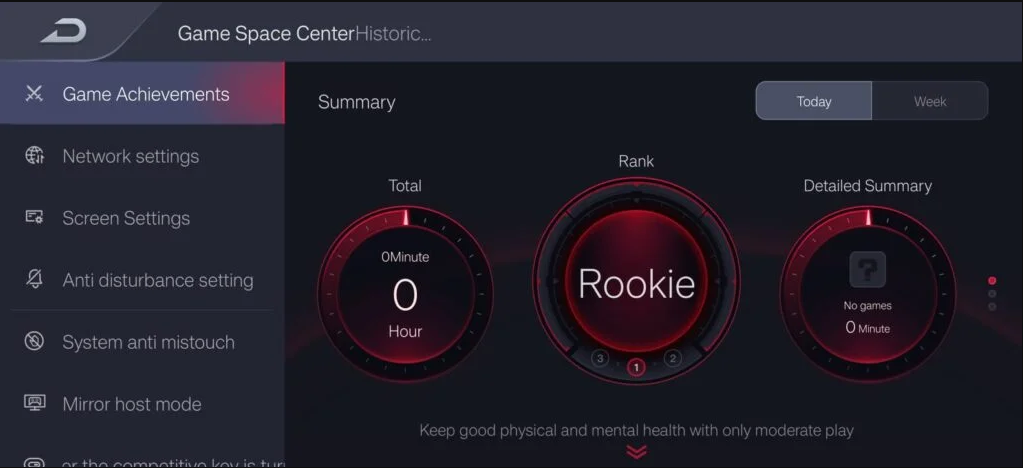
The centre screen collects session summaries, achievement style badges and totals for hours played. It is presentation more than function. Nothing here improves how a game runs. Where it does help is diagnosis: if one title consistently reports shorter sessions and heavier battery drain than the rest, that is your candidate for lowering settings rather than blaming the phone in general.
What The Tuning Switches Can And Cannot Do
This is the part the marketing skips, so read it carefully. A launcher is software layered on top of Android. It can free memory, park background tasks, request a higher display refresh rate, and ask the system scheduler to favour the foreground app. Those are real levers and on a congested phone they produce a genuinely smoother feel.
What it cannot do is add graphics hardware. If a title runs at low settings on your device because the GPU is not fast enough, no profile changes that. The phrase you sometimes see about integrated desktop class graphics is marketing noise. Treat any promise of running heavy PC titles on a budget handset as false, because the silicon simply is not there.
Heat is the other ceiling. Sustained load raises the temperature of the frame, the controller reduces clocks to protect the battery, and frame rates settle back down. A cooling fan case helps more than any software setting, which is exactly why the gaming handsets ship with one built in.
Putting It On A Phone From Another Brand
The launcher is written against Nubia firmware, so behaviour on other hardware ranges from perfect to broken depending on the manufacturer skin. Sideload it only if you accept that some panels may simply not respond. The package below is the one referenced for this guide.
Step 1: Check your free storage and current Android version first. Older releases refuse the install outright with a parsing error rather than a helpful message.
Step 2: Download the file, then open your security settings and allow installs from unknown sources for the specific app doing the installing, not for the whole system.
Step 3: Tap the file, read the permission list before accepting, and let the installer finish without switching apps.
Step 4: Open it once and grant only what it needs to function. Usage access is required for playtime tracking, and the overlay permission is required for the floating panel.
Step 5: Set your default launcher back to the stock one if the shell misbehaves, so you are never locked out of your own home screen.
Tap the button below to download the file directly to your device.
Download the Nubia RedMagic packageTurn the unknown sources permission off again once the install completes. Leaving it enabled is how a careless tap on a bad link becomes an unwanted app a week later.
Battery, Storage And Permissions
Expect the aggressive profile to shorten runtime noticeably. Holding higher clocks and a faster refresh rate is not free, and a two hour session under that profile will drain considerably more than the same session on the balanced setting. Keep the aggressive mode for competitive play and leave casual titles on the default.
On permissions, be sceptical in a healthy way. Overlay access and usage statistics are broad rights, and any launcher requesting them deserves to come from a source you trust. That reasoning applies to every gaming shell on Android, not this one in particular.
RedMagic Launcher — Verdict
- Interruption control — the strongest reason to install it
- Capture tools — quick, well placed, costly on weaker chips
- Performance tuning — real gains on congested phones, no miracles
- Cross brand support — unpredictable outside Nubia firmware
Summary
A well built gaming shell that manages your phone sensibly during play, undermined only by claims about hardware it cannot create.
The Weak Points Worth Knowing
Compatibility is the recurring complaint. Manufacturer skins guard the same system hooks this launcher wants, so a panel that works flawlessly on one phone renders as a blank sheet on another. There is no reliable way to know before you try.
The interface also leans heavily on a red and black gaming aesthetic with animated transitions. That is a taste question, but the animations themselves consume resources on the exact devices that can least spare them, which is a slightly awkward outcome for performance software.
Finally, iOS is not supported and will not be. The launcher depends on Android level control over other applications that Apple does not grant to third parties, so there is no version waiting to arrive.
Questions Players Keep Sending In
Will this raise my frame rate? On a phone cluttered with background apps, yes, modestly, by clearing contention. On a clean phone already running a title at its ceiling, no. Software cannot create headroom that the hardware never had.
Does it work on any Android phone? It installs on most and behaves fully on Nubia devices. Elsewhere the core lobby usually works while the deeper tuning panels may be inactive.
Can it stop my phone getting hot? It can reduce needless background work, which helps a little. It cannot overrule the thermal controller, and you should be glad of that, because the controller is protecting your battery.
Is an iPhone build coming? No. The permissions this design depends on are not available to third party developers on that platform.
Will it break my home screen? Only if you set it as the default launcher and it then misbehaves. Set it back through your default apps settings and everything returns to normal.
Install this if you play regularly on a RedMagic phone, or if you record clips and want the capture panel one swipe away. Skip it if you own a low powered handset and are hoping for a performance rescue, because the honest answer there is lower in-game graphics settings, fewer background apps, and patience until your next upgrade.


4 Comments
Sohib Khan
Working perfectly on my device, games feel much smoother now. Thanks!
Viveki
The Game Space dashboard is really useful, exactly as described.
Manik Boro
Installed on a low end phone and it works without lag. Great find.
Narandar Prajapat
Anti-disturbance mode is the best feature, no more interrupted matches.