
5 Latest Tech Feature Android Apps
Most phones are carrying twenty apps that do roughly the same three things. The tools below are the opposite kind: each one has a single job, does it without asking for a subscription, and gets out of the way afterwards. Two of them are not even installable apps, which is part of why they are worth knowing about.
The write-ups are deliberately practical. What the tool does, what it needs from your phone, where it disappoints, and whether it deserves a permanent slot on your home screen or a spot in a folder you open twice a year.
Related: six photo editors we rate for Android
How We Sorted These Five
There is no shortage of lists that simply name whatever trended that week. The filter applied here is narrower: the tool has to do something your phone cannot already do, it has to be usable without paying on day one, and the permissions it requests have to make sense for the job.
That last test rules out a surprising number of popular downloads. A wallpaper gallery asking for your contacts, or a counter app wanting precise location, tells you the actual product is your data. None of the five below fails that test badly, though one of them is heavier on advertising than the rest.
1. Imagine — Typed Words Into Finished Pictures
Image generation moved from research demo to phone app faster than almost any technology in recent memory, and Imagine is one of the more approachable versions of it. You describe a scene in ordinary language, pick a visual style, and the app returns an image built from that description.
The skill involved is in the description, not the tapping. Vague prompts produce vague results. Naming the subject, the setting, the lighting and the medium separately gives the model something to work with, and the difference between a lazy prompt and a considered one is enormous. Treat your first dozen attempts as practice rather than output.
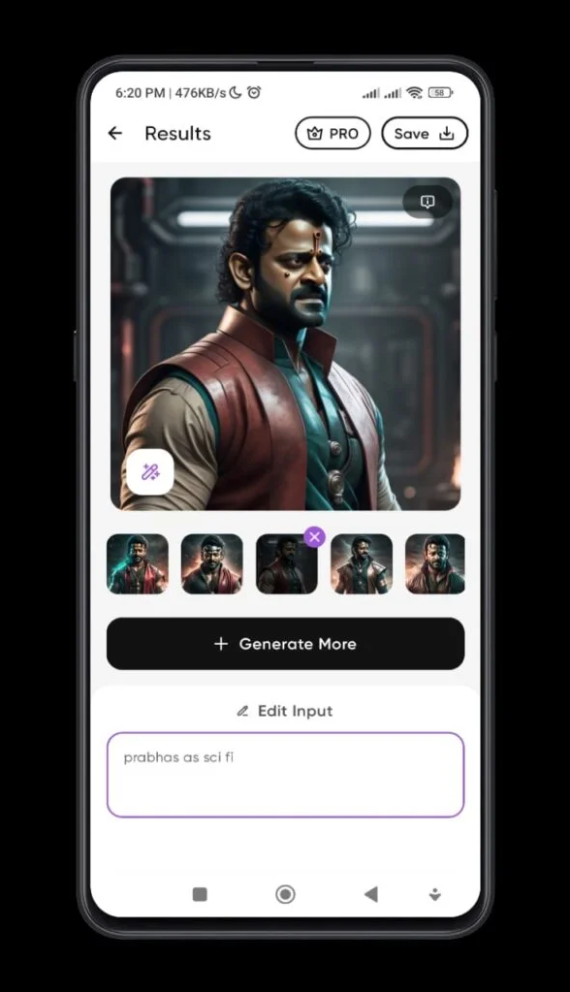
Two honest caveats. Generation happens on remote servers, so it needs a connection and whatever you type is sent off your device. And the free allowance is limited before the app pushes you towards a paid tier, which is a fair arrangement but worth knowing before you build a workflow around it. Hands, text in signage and anything requiring precise anatomy remain weak points across this whole category.
2. Touch Counter — A Real Number For A Vague Habit
Everyone knows they use their phone too much. Almost nobody knows what that means in figures. This app answers a narrower and more interesting question than screen time does: how many times did you physically touch the screen today?
The number tends to be startling the first time you see it, and that is the point. Hours of screen time is an abstract quantity that people learn to ignore. A tap count is concrete, and watching it climb before lunch changes behaviour in a way a weekly report generally does not.
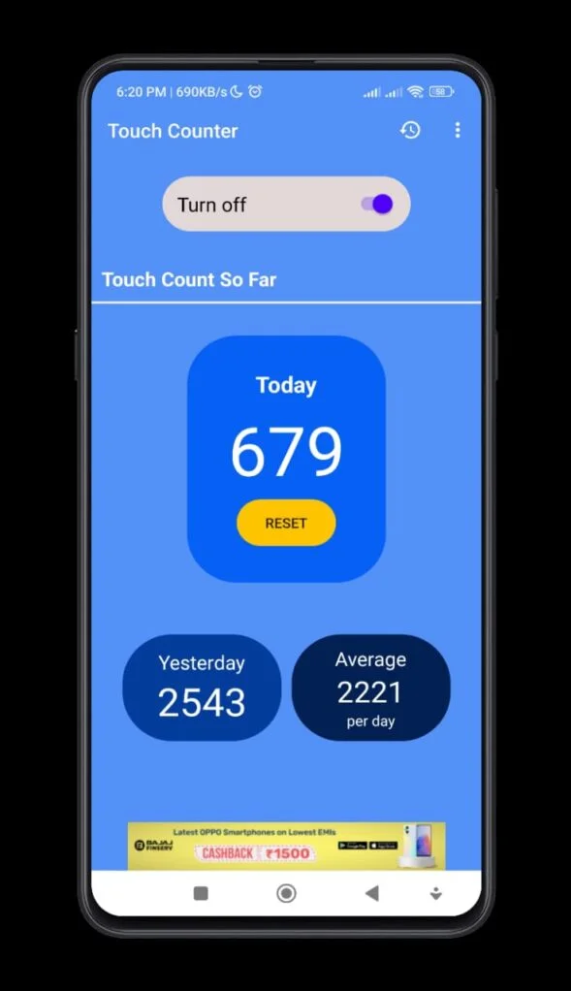
Understand the trade-off before installing. Counting every touch means running a service in the background, which costs a little battery and requires a permission most apps should never have. Read that request carefully and decide whether the insight is worth it to you. It is a measuring instrument, not a fix, and the novelty fades within a fortnight for most people.
Open the Touch Counter listing
3. HotSpot3D — Two Handsets At True Size
Specification sheets are a bad way to picture a phone. A diagonal measurement in inches tells you almost nothing about whether the handset reaches your thumb, and a millimetre difference in thickness reads as nothing on paper and as a lot in a pocket.
This comparison tool solves that by rendering two devices next to each other in three dimensions at matched scale. You rotate them, look at the camera housing from the side, see how the bezels really compare and judge the footprint difference honestly. For anyone buying online without a shop nearby, it removes most of the guesswork.
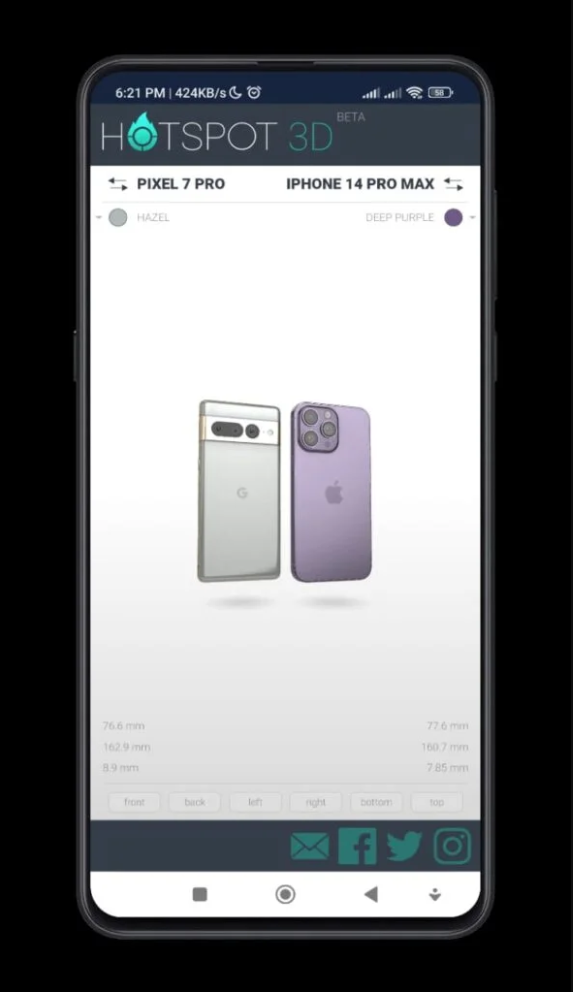
Note the important detail: this runs in a browser rather than as an installed app. That is a genuine advantage, because there is nothing to install, nothing to uninstall afterwards and no permissions to grant for something you will use twice a year while shopping. Bookmark it instead. The catalogue leans towards mainstream flagships, so obscure regional models may be missing.
Open the 3D phone comparison tool
4. Wavy Walls — Wallpapers Without The Hunt
Searching for a wallpaper usually means wading through image sites at the wrong resolution, with watermarks, sized for a monitor rather than a tall screen. A curated gallery built specifically for phone displays sidesteps all of that.
The collection here leans towards abstract gradients and flowing shapes, which is a sensible choice for a practical reason: busy photographic wallpapers make home screen icons and text hard to read, while soft abstract fields let widgets stay legible. If you use a dark theme, the darker gradients also save a measurable amount of battery on an OLED panel.
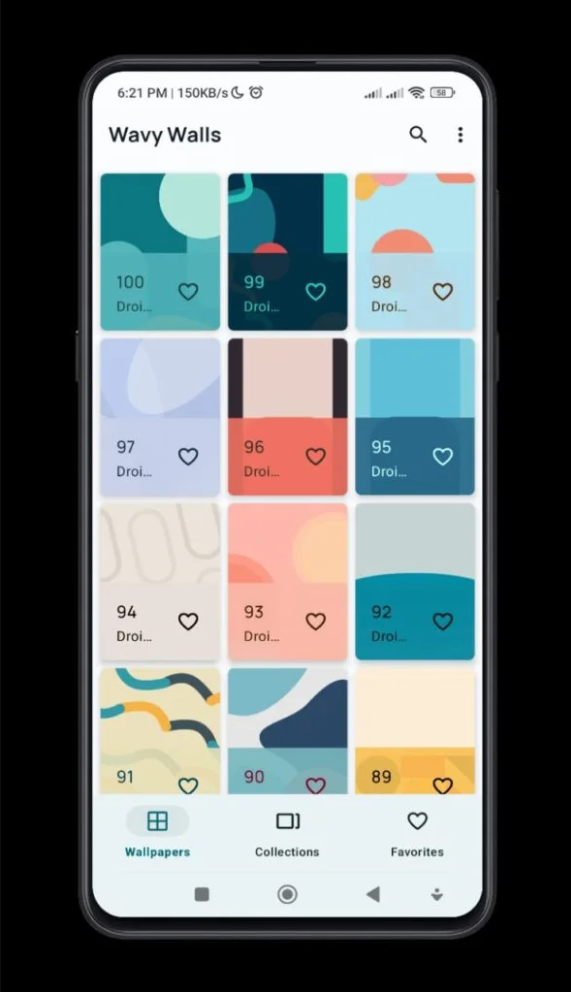
Two practical notes. Wallpaper apps are supported by advertising and this one is no exception, so expect interruptions between downloads. And each saved image occupies real storage at full screen resolution, so clear out the ones you tried and rejected rather than letting a hundred of them sit in your gallery.
5. Wormhole — Sending A Large File To Anyone
Messaging apps compress your video, email attachments cap out at a few dozen megabytes, and cloud drives want the recipient to hold an account. Sending one genuinely large file to one person remains an awkward problem, and this is the neatest answer to it.
You drop the file in, get back a link, and share that link however you like. The recipient needs no account and installs nothing. The link expires after a set window, which is the feature that makes it suitable for things you did not want sitting on the internet forever anyway.
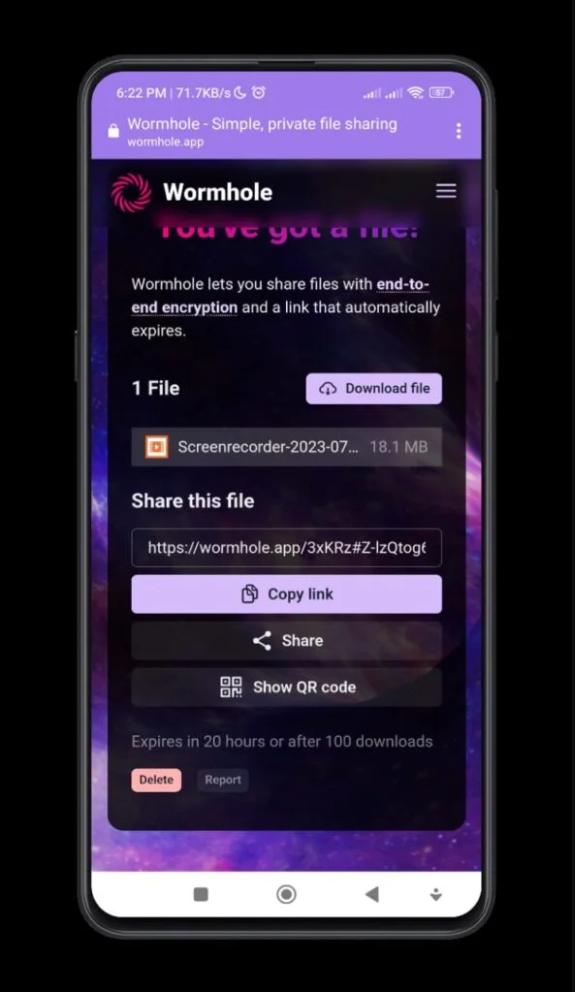
Smaller transfers are encrypted in your browser before they leave, meaning the service handles data it cannot read. Larger files fall back to a different handling path, so read the notice the site shows you rather than assuming the strongest guarantee applies to everything. Expiry is a feature and a hazard at once: if the recipient waits too long, the file is gone and you send it again.
Open the Wormhole transfer tool
Checking A New Tool Before You Trust It
Read the permission list first: Open the store listing and look at what the app requests before installing. A wallpaper gallery needing microphone access is a reason to close the page.
Find the developer: Tap the developer name and see what else they publish. A single app from an account with no history is worth more caution than a name behind several maintained titles.
Skim the recent reviews only: Old five-star reviews say nothing about the current build. Sort by newest and look for complaints about advertising volume, sudden paywalls or battery drain.
Install from the official listing: Every tool on this page is free through its own store page or website. A mirror offering the same file is adding risk in exchange for nothing.
Review it after a week: Check battery usage in settings and uninstall anything that earned a place through novelty rather than use. Most apps fail this step, which is exactly why it exists.
The Five, Rated Honestly
- Imagine — impressive results, limited free allowance, needs a connection
- Touch Counter — genuinely eye-opening, background service and short novelty
- HotSpot3D — the most useful of the five and installs nothing at all
- Wavy Walls and Wormhole — both do their one job cleanly, ads and expiry aside
Summary
A mixed set held together by focus rather than polish, with the browser-based tools quietly outperforming the installable ones.
What These Five Have In Common
None of them tries to be a platform. Each does one thing, and that focus is why they are worth a mention when hundreds of larger apps are not. It also makes them easy to drop when you no longer need them, which is a virtue nobody advertises.
- Every one is usable without paying on the first day
- Two run entirely in a browser, so nothing is installed and nothing lingers
- The permissions requested broadly match the visible function
- Each replaces a task that is otherwise mildly irritating rather than impossible
- None of them requires you to build a profile or gather followers
The shared risk is equally clear. Three of the five send your data somewhere else to work: prompts to a generation server, files to a transfer service, images to a content network. That is not a flaw as long as you know it, but it does mean thinking twice before feeding any of them something private.
Which Of These Should Stay On Your Phone
- Keep the phone comparison tool bookmarked permanently, since it costs no space
- Keep the file transfer service bookmarked for the day a video refuses to send
- Keep the wallpaper gallery only if you actually change wallpapers often
- Install the image generator if you enjoy it and remove it when the allowance runs out
- Try the tap counter for two weeks, note the number, then uninstall it
Questions Readers Send About This List
Are all five actually free? All five are usable at no cost. Two are advertising-supported and one pushes a paid tier once your free generation allowance is spent, which is normal and disclosed inside the app.
Why include websites in a list of apps? Because a bookmark that costs no storage, needs no permissions and cannot run in the background is often the better answer. Treating installation as automatic progress is a habit worth breaking.
Will these run on an older phone? The wallpaper gallery and the counter are undemanding. The browser tools depend on your browser rather than your handset. Image generation happens on a server, so a slow phone mainly means waiting a little longer for the result to arrive.
Is the tap counter reading my screen content? Counting touches needs a background service, not the content of what you tap. Read the permission description in the listing yourself, because that is the sort of decision nobody should take on a stranger's word.
Can I send a file to someone abroad with the transfer tool? Yes. A link works anywhere, which is precisely the advantage over a network-dependent nearby-sharing feature. Just make sure the recipient opens it before the expiry window closes.
The Closing Recommendation
Install two of these at most. The comparison tool and the transfer service earn permanent bookmarks because they cost nothing to keep and solve problems that recur. The generator and the counter are worth a fortnight of curiosity each, and the wallpaper gallery is worth exactly as much as you care about your home screen.
The broader habit matters more than the specific picks. A phone with fifteen focused tools you understand beats one with sixty you installed after reading a list and never opened again. Take the permission check seriously, uninstall aggressively, and let the browser handle whatever it can.


