
How To Add Your Favourite Song To Existing Video || Video Editing App || Easiest Method
You filmed something worth keeping and the audio ruined it. Wind across the microphone, a fan in the background, or simply nothing happening on the soundtrack while plenty happens on screen. Replacing that audio with a song is one of the most common editing jobs on a phone, and it is also one of the easiest to do badly.
The sequence below uses VN, a free editor that keeps a proper multi-track timeline instead of hiding audio behind a single button. Follow it in order. Most bad results come from doing the right steps in the wrong sequence, particularly trimming after syncing rather than before.
More phone editing guides in our editing apps section
Two Ways To Do This, And Why One Wins
There are broadly two approaches. The first is a converter tool that takes a video file and an audio file and stitches them together with no timeline at all. It is quick, and it gives you no control: the song starts at second zero, ends when the video ends, and plays at whatever volume it was recorded at.
The second is a real editor with a separate audio lane. You pay for that with a few extra taps and you get everything that actually matters, which is where the track starts, how loud it sits against the original sound, and whether it fades out or stops dead. For anything you intend other people to watch, take the second route.
The Full Sequence, Step By Step
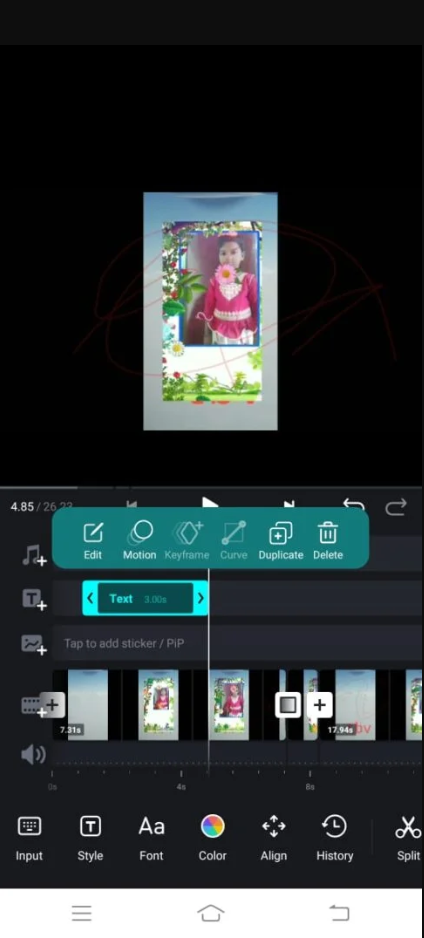
Open a project and load the clip: Tap new project and pick the video from your gallery. It lands on the timeline as one block with its recorded audio attached underneath it.
Decide what happens to the original sound: Select the video block and open its volume control. Drop it to zero if the song is replacing everything, or leave it around a fifth if you want traffic, waves or room noise to stay faintly audible under the music.
Put the song on the phone first: The audio picker reads local storage. A track sitting in a streaming app is not a file the editor can see, so download or copy the audio into your music folder before you start, or you will be leaving the editor halfway through.
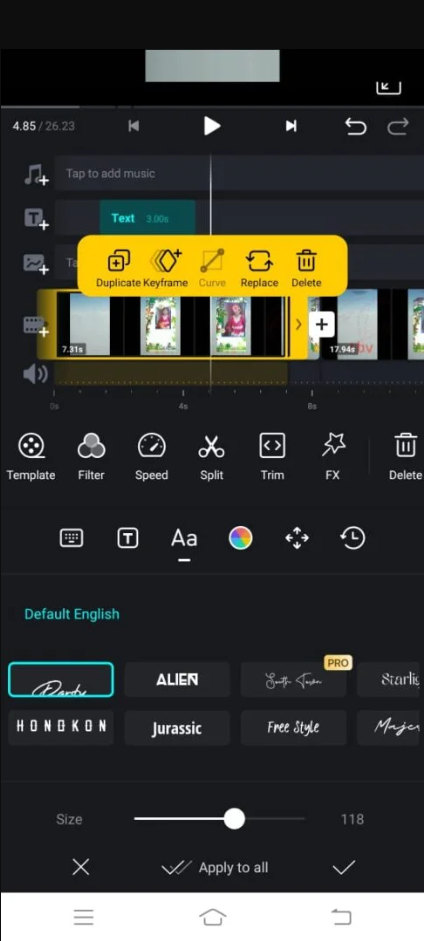
Add the audio to its own lane: Tap the audio button, browse to the file, and place it. It appears as a waveform beneath the video, and that waveform is the thing you work with from here on.
Trim before you sync: Cut off the song intro you do not want. Almost no track begins at the moment your video does, and trimming afterwards shifts everything you have already aligned.
Drag the beat to the cut: Slide the audio left or right until a strong beat lands on a visual change, such as a cut, a door opening or a subject turning. One good alignment does more for a clip than any filter.
Add a fade at both ends: A short fade in and out. Music that begins at full volume on frame one and stops mid-note at the end is the single clearest sign of a rushed edit.
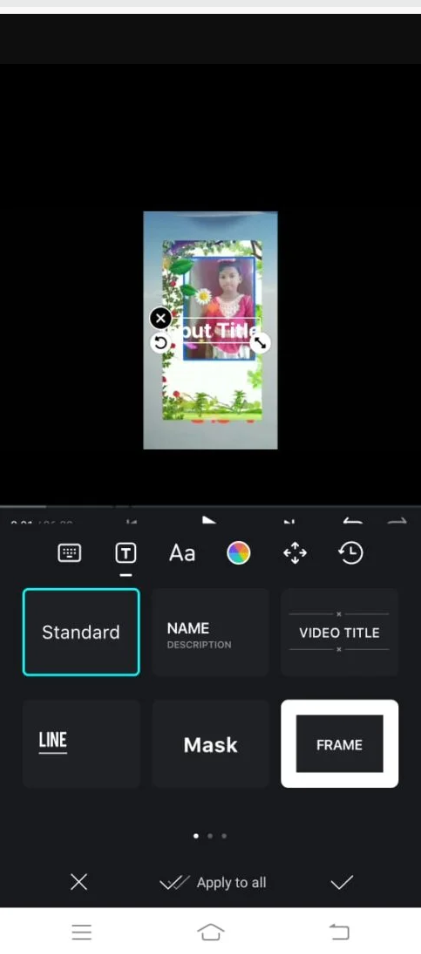
Balance the levels on headphones: Set the music so that any speech stays comfortably above it. Phone speakers flatter a mix, so check with earphones before you commit.
Preview the whole thing, then export: Watch end to end once. Sync drift and an abrupt tail are both invisible when you only scrub through the middle.
Making The Sync Actually Land
Syncing is not about mathematics, it is about which moment you choose. Pick one clear beat, usually the first strong drum hit after the intro, and line that up with the most visually decisive frame. Your eye forgives a lot of drift later if the opening pairing is convincing.
If your clip has several cuts, work from the beat outward. Nudge the cuts to the music rather than dragging the music to fit every cut, because the audio is one continuous thing and the video is not. Trimming a few frames off a shot is invisible; sliding a song around is audible.
Mixing So The Voice Survives
If anybody speaks in your footage, the music has one job: stay out of the way. The usual mistake is setting the song at a level that sounds good during a silent stretch, which then buries a sentence twenty seconds later.
- Set your levels against the loudest music passage, not the quietest
- Duck the song under dialogue by splitting the audio and lowering that section
- Instrumental versions sit under speech far better than tracks with vocals
- Music with a busy midrange competes directly with the human voice and always loses the clip
- Check the mix once on the phone speaker, since that is how most people will hear it
The Licensing Problem Nobody Mentions
This part gets skipped in most tutorials and it is the part most likely to cost you. Putting a commercial song into a video you keep on your own phone is nobody else business. Uploading that same video to a public account is a different act, and the platforms detect it automatically.
Automated matching systems compare your upload against a database of registered recordings. A match can mute your audio, block the video in certain countries, hand any earnings to the rights holder, or take the post down entirely. Repeated matches on some platforms escalate into strikes against the account itself, which is a far bigger loss than one reel.
Two things people believe are wrong. Crediting the artist in your caption does not grant you a licence, and neither does adding a line saying no copyright infringement intended. Nor does extracting audio out of somebody else video, which simply moves the same recording into a new file.
The legitimate routes are straightforward, and none of them cost much effort once you know where to look:
- The in-app music picker on the platform you are posting to, since those catalogues are cleared for use inside that app
- A free library aimed at creators, such as the audio collection inside YouTube Studio
- Creative Commons recordings, provided you give the attribution the licence actually asks for
- A royalty-free subscription if you publish regularly, or a single-track licence for one important upload
- Music bundled with the editor itself, whose terms usually separate personal posts from commercial use
Pulling Audio Out Of Another Clip
The editor can strip the sound from any video on your device and place it on the audio lane by itself. It is genuinely useful for your own material, letting you take clean room tone from one take and lay it under a better-looking take of the same scene.
It is not a way around the previous section. Extracting a song from someone else video leaves you holding exactly the same protected recording, and the matching systems recognise it just as easily.
VN As An Audio-Swapping Tool
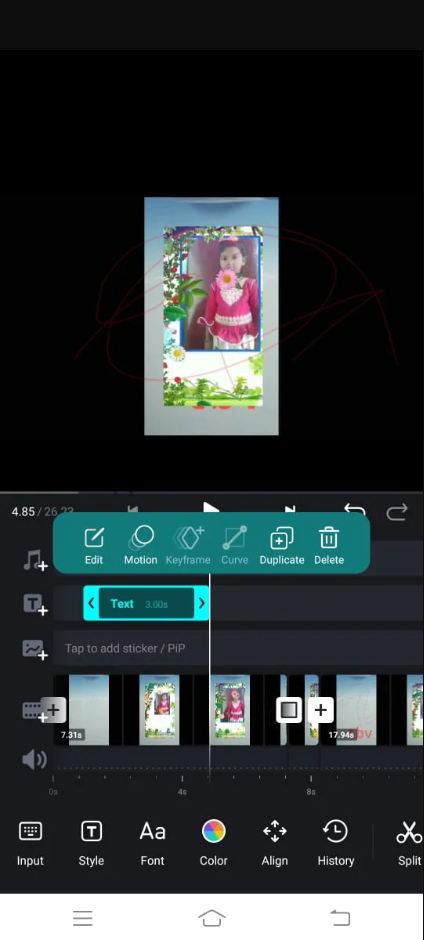
- Timeline control — a proper audio lane rather than a single music button
- Learning curve — an hour to feel comfortable, longer to be quick
- Export options — watermark-free output without a paid tier
- Performance — fluid on mid-range phones, heavy on ageing ones
Summary
More control than the job strictly needs, which is exactly why the results hold up.
Exporting Without Damaging The Sound
Match the export resolution to the source. Exporting a clip filmed at 1080p as 4K invents nothing and simply produces a heavier file that takes longer to upload. Frame rate should also match what you shot, since a mismatch there is what makes motion look faintly wrong even when the picture is sharp.
Every export re-encodes the audio. Editing a finished export a second time, then exporting again, stacks compression on compression and the music thins out. Keep the project file and return to it for changes instead of re-importing your own output.
When Something Goes Wrong
No audio in the export at all usually means the video track was muted and the music was never placed on its own lane, or that it sits past the end of the video. Zoom out on the timeline and check the waveform actually overlaps the clip.
If the song cannot be found in the picker, the file is either in a protected app folder or in a format the editor will not read. Copying it into the device music directory solves this in most cases.
If the export fails partway, free storage first. Rendering needs working space roughly on the scale of the finished file, and a nearly full phone stops the job without ever saying why.
Questions People Ask About Swapping Soundtracks
Can I keep the original sound and add music together? Yes, that is the normal case. Lower the recorded audio rather than muting it, and both play at once.
Can I add several songs to one video? Yes. Split the audio lane where you want the change and place a second file after it, with a short fade across the join so the switch is not jarring.
Does the free version stamp a watermark on exports? Watermark-free export is available without paying, which is unusual in this category and a large part of the appeal.
Will my video be taken down for using a popular track? It may be muted, blocked in some regions, or removed. The outcome depends on what the rights holder has chosen, and you have no way to know in advance.
Is a shorter clip safer? No. Matching works on the recording itself, and a few seconds is enough to identify it.
For anything going onto a public account, spend ten minutes finding a properly licensed track before you spend an hour on the edit. For private videos and family clips, use whatever you like and enjoy it. The editing steps are identical either way; only the consequences differ.


